 Editorify
How reviews popups are going to increase sales in your Shopify store?
Reviews popups are small notifications that show a real customer review, with its star rating, while a shopper browses your Shopify store. Editorify integrates with Popify, a popup notification app for Shopify, so the reviews you import or collect with Editorify can be shown as popups. You set the popups up in Popify; the video below shows the whole process.
What a reviews popup does
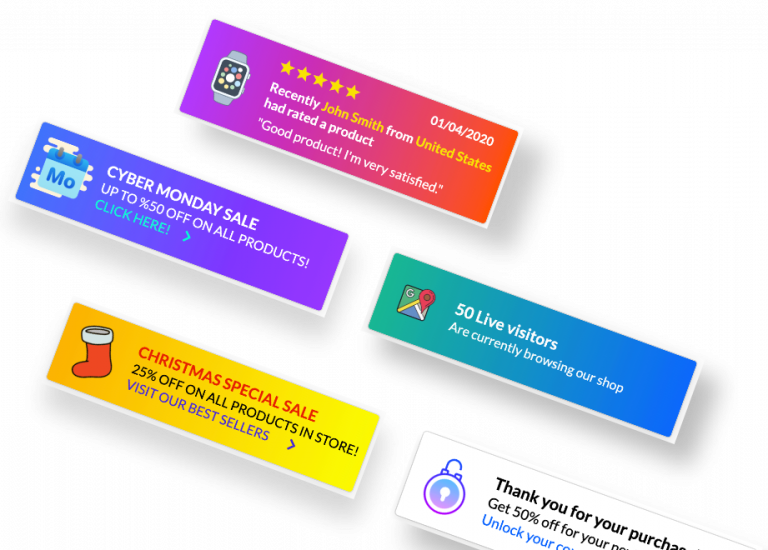
A review section only helps shoppers who scroll down to it. A popup brings a review to the shopper on the page they are already looking at. Each popup shows who left the review, the star rating and a short quote, for example "Recently John Smith from United States had rated a product: Good product, I'm very satisfied."
Popify can also show other notifications, such as updates, reminders, special offers and suggested products, so you can run reviews popups alongside the rest of your store's messages.
How to set up reviews popups
Make sure your products have reviews in Editorify, imported from a supplier or collected from your customers. Before you promote them, hide unwanted ones with the keyword blacklist.
Install Popify from the Shopify App Store.
Connect it to Editorify and create a reviews popup, as shown in the video.
The video walks through a complete product page with social proof: reviews imported with the Editorify app and popup notifications designed in Popify.
How to enable reviews popups in your Shopify store?
Frequently asked questions
Do I need a separate app for reviews popups?
Yes. The popups are shown by Popify, which works with the reviews stored in Editorify. Check Popify's App Store listing for its current plans.
Where do I get more reviews to show?
Import them from one of the 9 supported marketplaces (see which marketplaces are supported) or ask your customers for them: How to collect reviews from my customers.
Still stuck? Contact support or email support@editorify.com.