 Editorify
What is Editorify and how to get started?
How to get started with Editorify?
On this page
Editorify is a product reviews app for Shopify, Wix, WooCommerce and BigCommerce. It imports product reviews, photos and videos from 9 supplier marketplaces with a Chrome extension, collects reviews from your own customers with a "Write a review" form, and displays them on your product pages. A free plan is available; paid plans start at $9.95 a month.
What Editorify does
Imports reviews from your supplier. Open the supplier's product page, click the Editorify extension icon, pick the reviews you want and import them to your product. Imported reviews are the reviews on the supplier's listing.
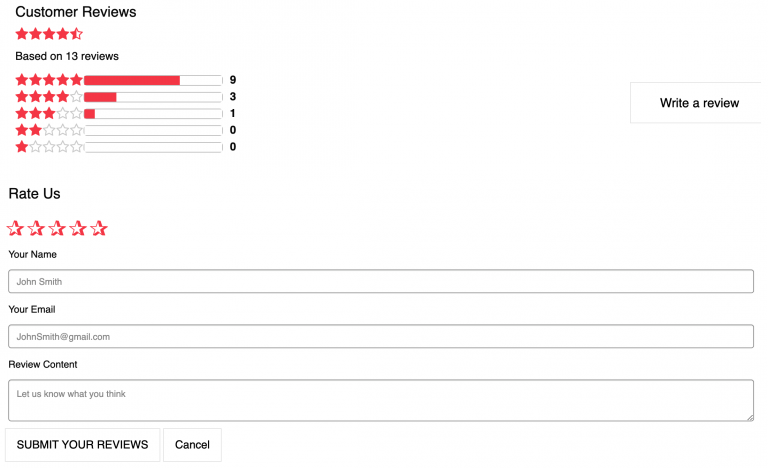
Collects reviews from your customers. A "Write a review" button is added to your product pages. Customers can leave a star rating, text and photos. See how to collect reviews from your customers.
Displays reviews. A reviews widget on the product page, stars under the product title and on collection pages, a homepage carousel and a showcase page.
Filters what shows. A minimum star rating and a keyword blacklist hide reviews you do not want, such as reviews that mention the supplier's name. See the Filter & Blacklist feature.
Which eCommerce platforms does Editorify support?
Editorify is available on Shopify, Wix, WooCommerce (as a WordPress plugin) and BigCommerce. On Wix, video import needs the Gold or Diamond plan.
Which websites can I import reviews from?
Editorify supports 9 marketplaces: AliExpress, Alibaba, Etsy, DHgate, Wish, Banggood, Walmart, 1688 and Taobao. Product videos can also come from YouTube and Vimeo. Other sites are not supported. The full list, with a guide for each marketplace, is on Which marketplaces and websites are supported?
Does Editorify have a free plan?
Yes. The free plan has no time limit and replaces a free trial. It includes 50 reviews per store, up to 3 per product, imported from AliExpress only, as text reviews. Paid plans add the other marketplaces, photos and videos.
| Plan | Price | What it adds |
|---|---|---|
| Free | $0 | 50 reviews per store, up to 3 per product, AliExpress only, text reviews, small "Powered by Editorify" badge |
| Premium | $9.95/month | Unlimited imports from all 9 marketplaces, photo and video import, full design customisation, keyword blacklist and star filter, no badge |
| Gold | $14.95/month | Everything in Premium, plus the homepage carousel, the showcase page and Google review rich snippets |
| Diamond | $24.95/month | Everything in Gold, plus automated review request emails (up to 1,000 a month) and the store average rating widget |
Yearly billing is 20% off. Paid plans include 24/7 support. To upgrade or downgrade, see How to change plan?
How do I get started?
Install Editorify from your platform's app store (links above), or open the Editorify login/signup page and select your platform from the dropdown.
Choose a plan. You can start on the free plan.
Install the Editorify Chrome extension.
Open a product page on a supported marketplace, click the Editorify icon, select the reviews or videos you want and click "Import now".
Check your product page. The reviews appear in the Editorify widget.
The video below shows an AliExpress import to Shopify. The process is similar on Wix, WooCommerce and BigCommerce. For the full walkthrough, see How to import reviews to your store.
How to import Aliexpress videos and reviews to Shopify
Customising how reviews look
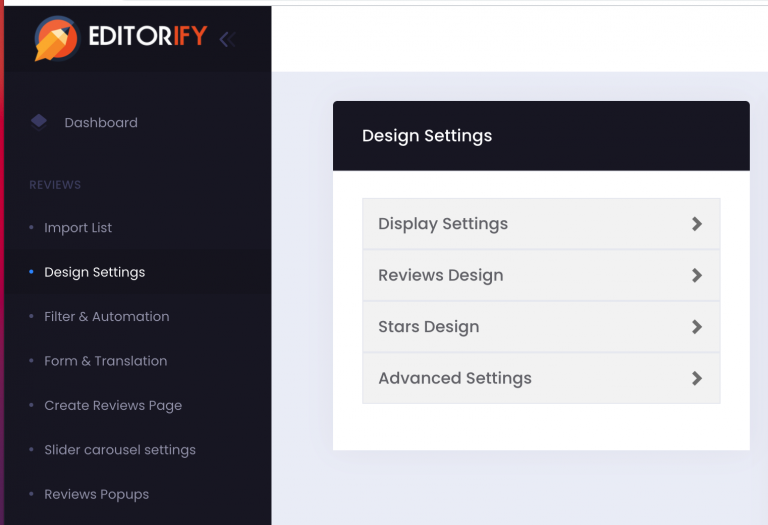
In the Editorify dashboard, open "design settings" from the side menu. From there you can change:
Star size and colour, and button size and colour
Design template (4 designs) and list or grid view
Country flags, date and avatar (on or off)
Right-to-left text support
Pagination and review sorting
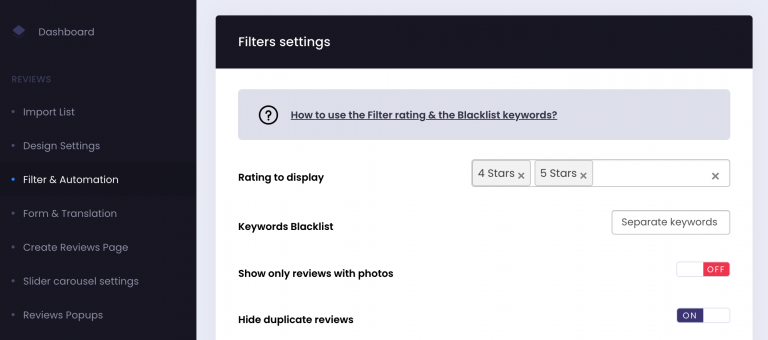
Rating filter and blacklist keywords
Log in to the Editorify dashboard.
Click "Filters & Automation" in the side menu.
Under "Rating to display", choose which star ratings to show, for example 4 and 5 stars.
Under "Keyword blacklist", add words to hide, such as the supplier's name ("AliExpress") or competitor names.
Click "Save".
Showcase page and homepage carousel
On the Gold plan and above you can show selected reviews on your homepage or on a separate page. See How to create Showcase Page? (Shopify and Wix) and How to create Slider Page.
Using Editorify with Importify
If you add products to your store with Importify, you can import each product's reviews with Editorify. See Importify Integration.
FAQ
Do I need Chrome to use Editorify?
You need Chrome to import reviews, because importing runs in the Editorify Chrome extension. The dashboard can also load reviews from a supplier product link you paste. Your customers do not need anything installed to see reviews.
How do I contact support?
Email support@editorify.com or use the contact form.
Still stuck? Contact support or email support@editorify.com.