 Editorify
How to Import Reviews to Your Store (Shopify, Wix, or WooCommerce)
On this page
To import reviews to your Shopify, Wix, WooCommerce or BigCommerce store, open the supplier's product page, click the Editorify Chrome extension icon, select the reviews and click "Import now". You can also paste a supplier product link into the importer in the Editorify dashboard. The free plan imports from AliExpress; Premium and above import from all 9 supported marketplaces.
Two ways to add reviews
Import reviews from your supplier. Useful for a new store or a new product: the reviews from the supplier's listing appear on your product page. The rest of this guide covers this.
Collect reviews from your customers. Once Editorify is installed, your product pages show a "Write a review" button. Shoppers can leave a star rating, text and photos. See how to collect reviews from your customers.
Option A: import with the Chrome extension
Install the Editorify Chrome extension.
Open the product page you want to import reviews from on a supported marketplace.
Click the Editorify icon.
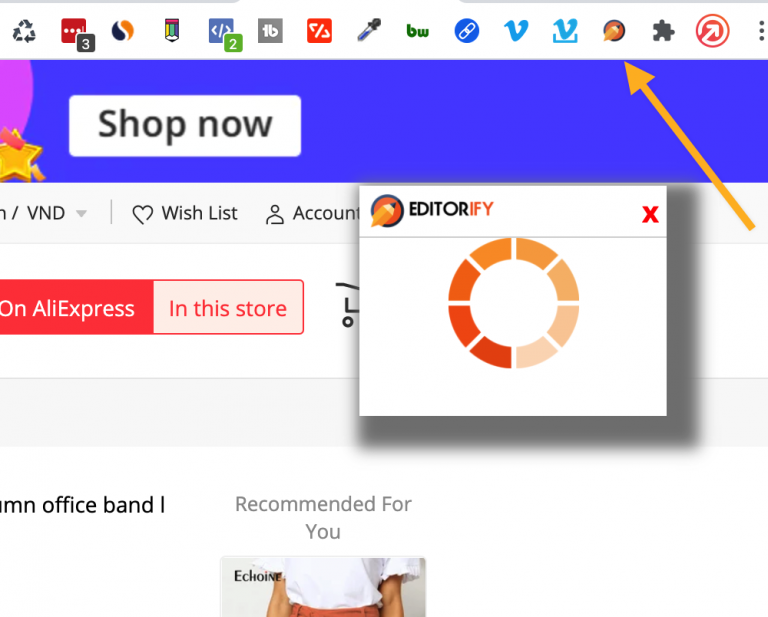
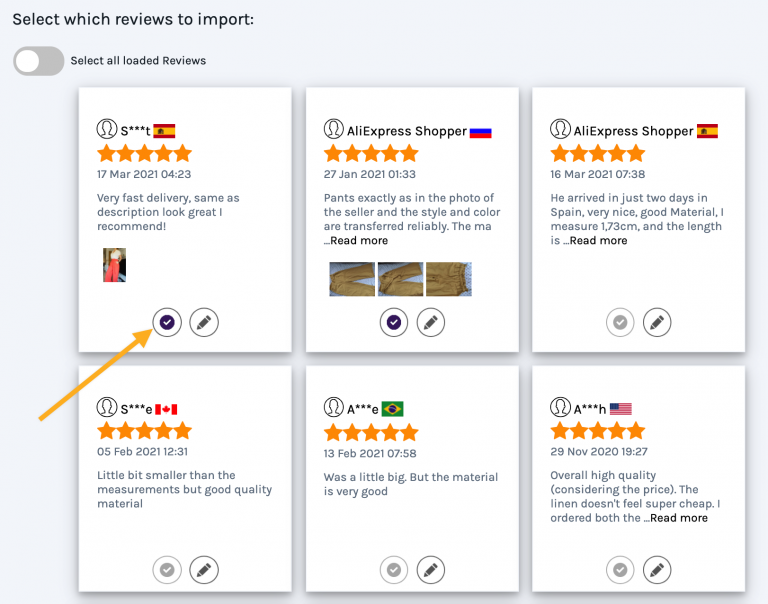
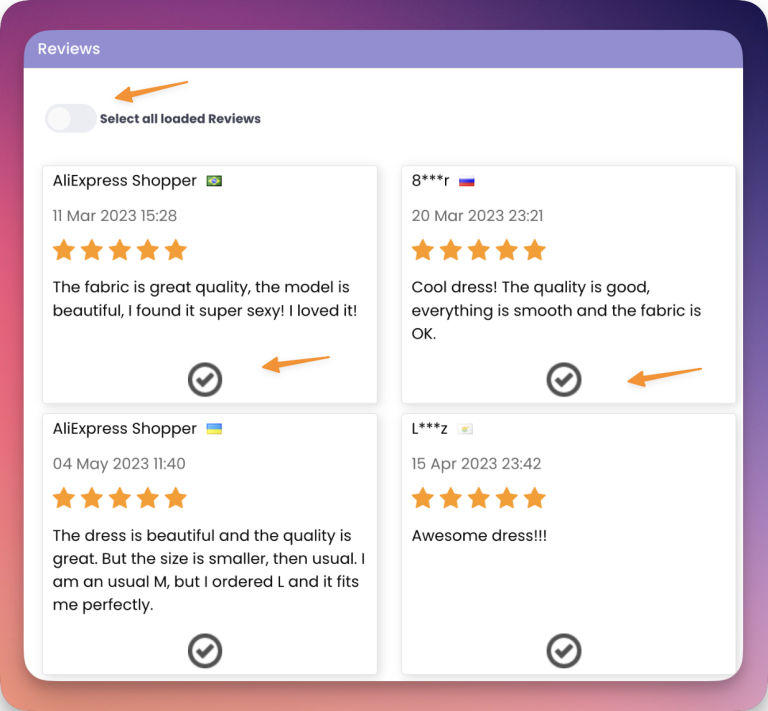
Select the reviews you want. You can filter them, for example by rating, country or reviews with photos.
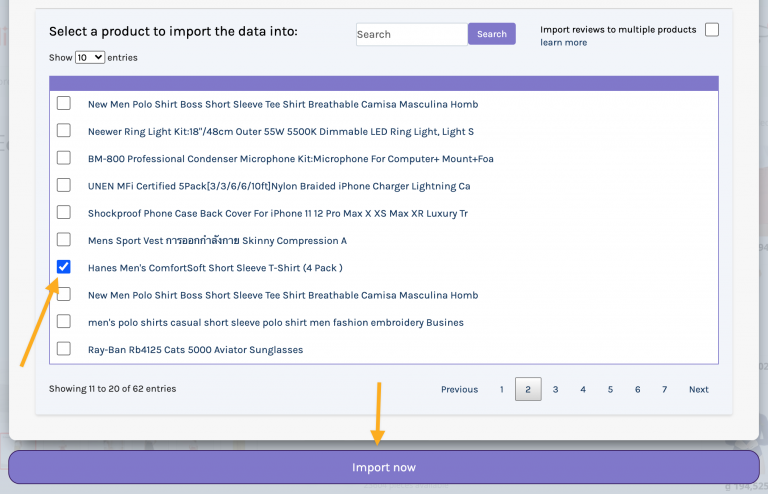
Choose the product in your store that should receive the reviews.
Click the import button. The reviews appear on that product page.
How to import Aliexpress videos and reviews to Shopify
Option B: import with the importer tool in the dashboard
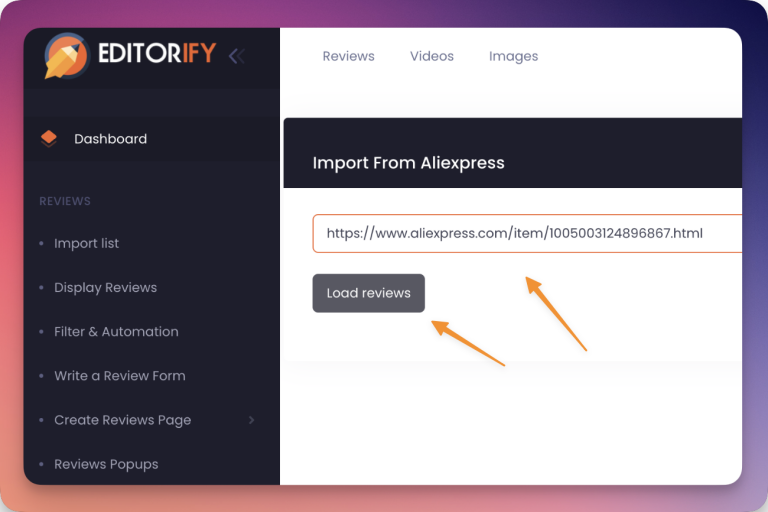
Open the importer page in the Editorify dashboard.
In another tab, open the supplier's product page and copy its URL.
Paste the URL into the URL field and click "Load reviews".
Select the reviews you want to import.
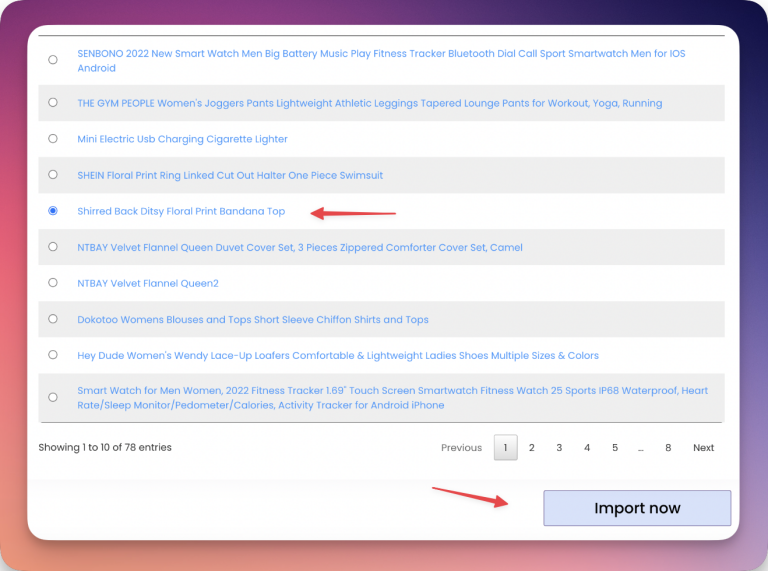
Choose the product to send them to and click "Import now".
Guides for each marketplace and platform
AliExpress: Shopify, Wix, WooCommerce
Etsy: Shopify, Wix, WooCommerce
DHgate: Shopify, WooCommerce
Banggood: Shopify, WooCommerce
Wish: Shopify
Walmart: Shopify
1688: Shopify
Taobao: Shopify
WooCommerce, any marketplace: How to import reviews and videos to my WooCommerce store
Related: importing videos, importing product images, copying reviews to several products.
FAQ
Which plan do I need?
The free plan imports up to 50 text reviews from AliExpress, with up to 3 per product. Premium ($9.95/month) removes the limit and adds the other 8 marketplaces, review photos and videos.
Can I hide reviews that mention the supplier?
Yes. Add the supplier's name to the keyword blacklist; see the Filter & Blacklist feature.
The import does not work. What should I check?
Make sure Chrome allows cookies (how to enable cookies), then follow I have an issue to import.
Still stuck? Contact support or email support@editorify.com.