 Editorify
Import reviews from Etsy to your Shopify store
Editorify copies Etsy reviews into your Shopify store: open the Etsy listing, click the Editorify Chrome extension, scan the page, pick the reviews you want and import them into a Shopify product. Etsy reviews, including their photos, need Premium ($9.95/month) or a higher plan, because the Free plan imports from AliExpress only.
How Etsy reviews differ
Etsy sells handmade, custom and vintage goods, and its listing pages can show reviews for the item as well as reviews for the whole shop. A shop review may be about a different product, so read each one before you tick it. Etsy buyers also like to thank the maker by first name ("Anna was so helpful"), which will confuse your customers.
Import Etsy reviews
Subscribe to Premium or a higher plan if you are on the Free plan. The Free plan imports from AliExpress only. See How to change plan.
Install the Editorify Chrome extension and sign in to your Editorify account.
Open the Etsy product page you want to import reviews from and let it finish loading.
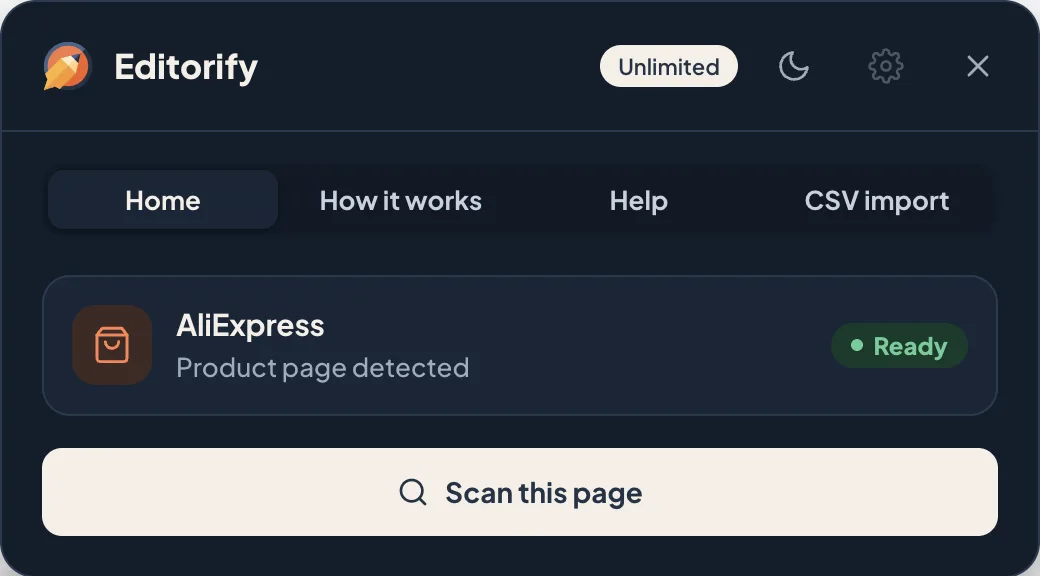
Click the Editorify icon in the Chrome toolbar, then click Scan this page.
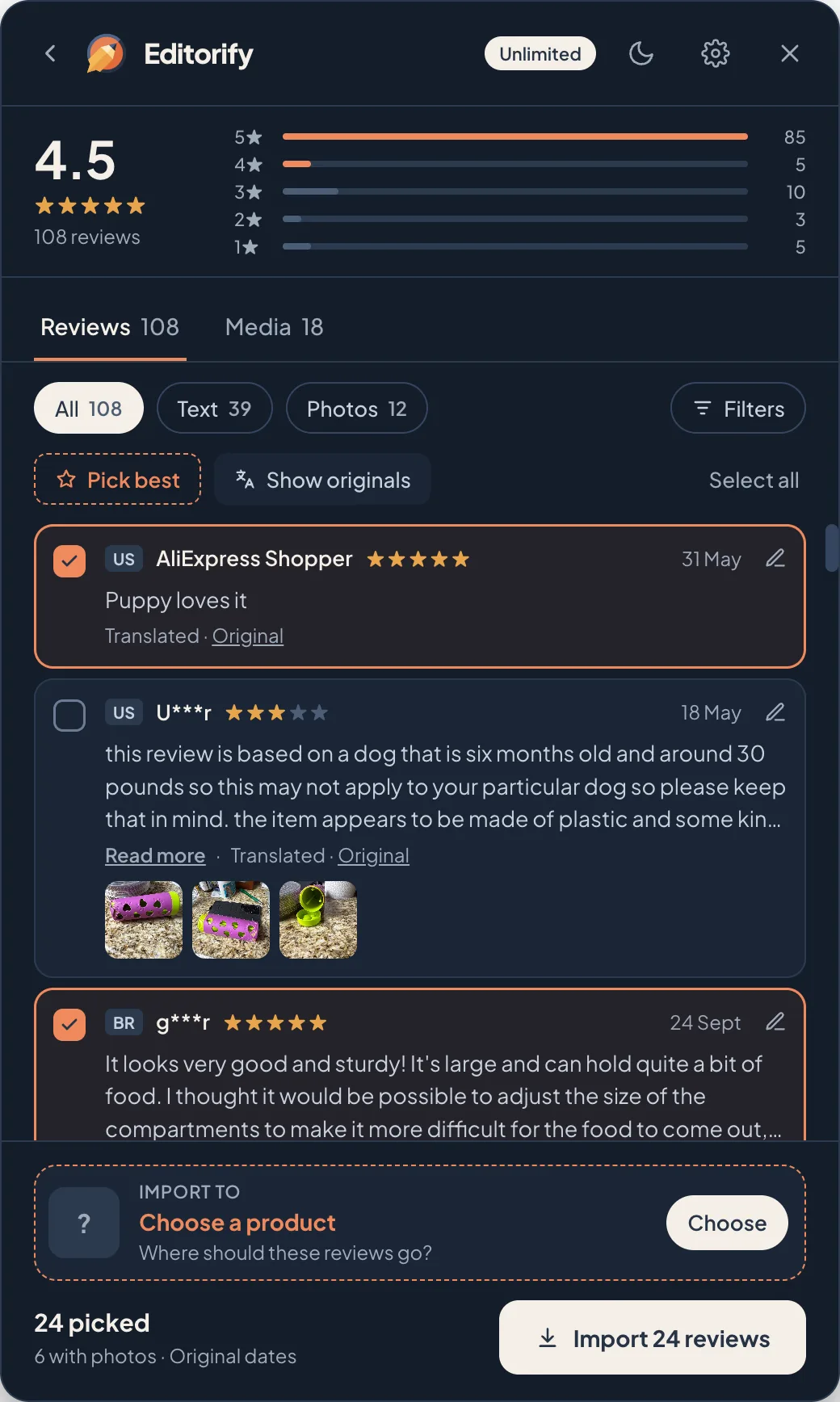
Pick the reviews in the review editor. Tick them one by one, or click Pick best to select every 4★ and 5★ review with text.
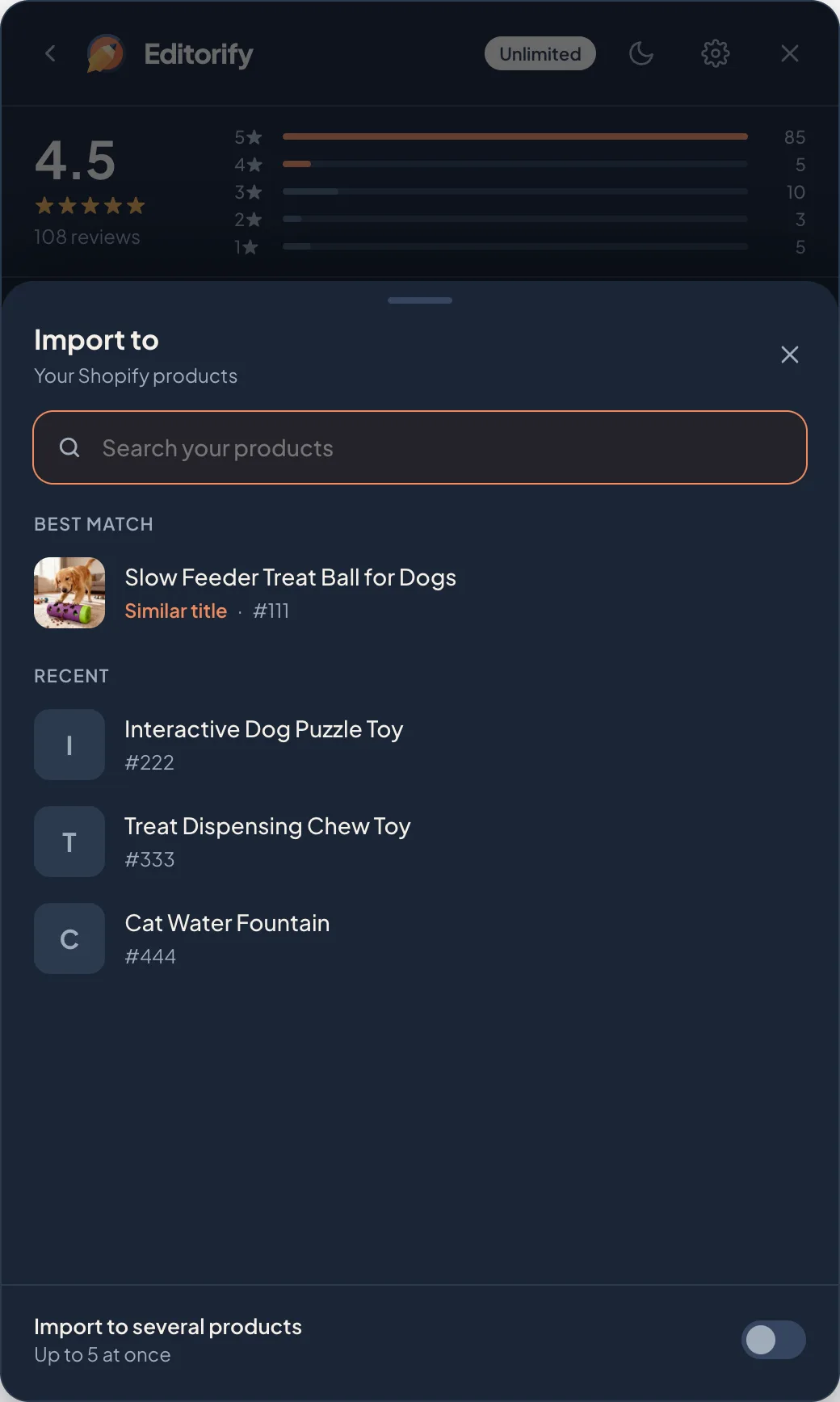
Click Choose in the Import to card and pick the Shopify product the reviews should go to. The closest title is listed first.
Click Import. The menu shows how many reviews were imported, with View product, Edit in Editorify and Dashboard.
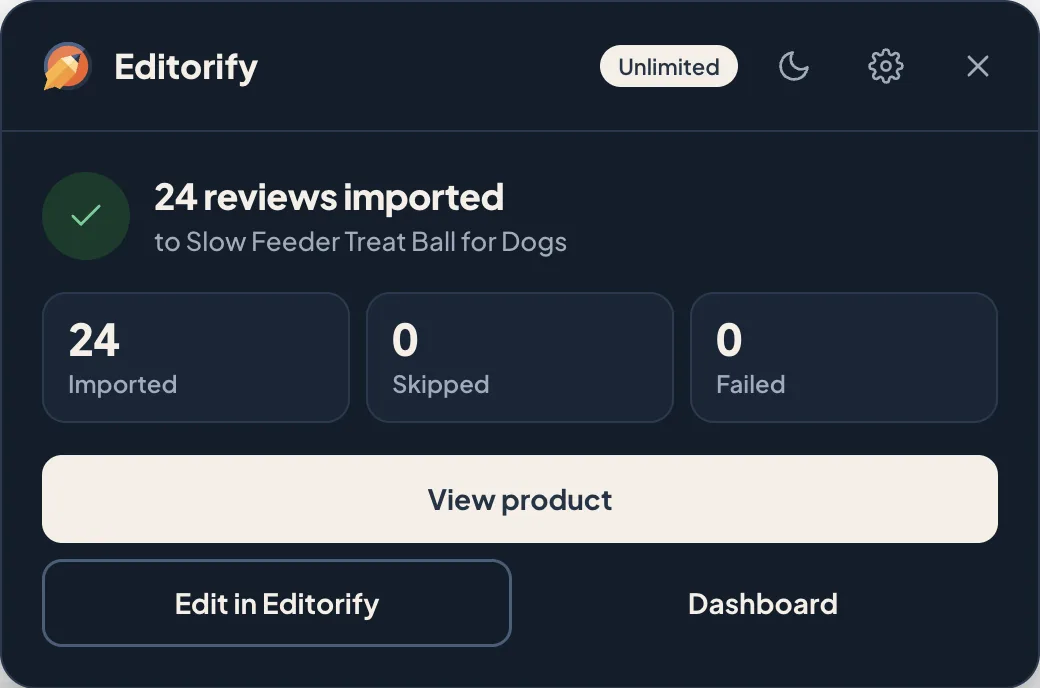
The screenshots show an AliExpress listing. The extension works the same way on Etsy.
Every option in the review editor, including filters, editing and settings, is covered in How to pick, filter and edit reviews before you import.
Review photos and videos
Photos and videos that Etsy buyers attached to their reviews import together with the review on paid plans. Click Photos in the review editor to see only the reviews that have them. They show on your product page inside the review they belong to. The supplier's own product video and images are on the Product media tab: see How to import videos to your store.
After the import
Before you import, click the pencil on a review to take out the maker’s name, or add the seller and shop name under Hide reviews with in Filters.
After the import, add the same names to the keyword blacklist to keep them off your store.
Show the new rating on your product page with stars under the product title.
Place the widget where you want it using Shopify theme blocks.
FAQ
Can I import Etsy reviews for free?
No. Etsy is available on Premium and higher plans. The Free plan covers AliExpress only.
Do Etsy review photos import?
Yes, on any paid plan. Photo and video import are not part of the Free plan.
Can I change a review that names the seller?
Yes, before you import. Click the pencil on the review in the review editor and edit the text (paid plans). After import, you can hide or delete it.
Still stuck? Contact support or email support@editorify.com.