 Editorify
Learn how to import and translate Chinese reviews into English with Editorify
On this page
To import supplier reviews in English, translate them before you import. On any plan you can use Chrome's "Translate to English" on the supplier's page and then import with the Editorify extension. On Gold and above, the Editorify extension can also translate reviews with AI. This matters most for 1688 and Taobao, whose reviews are usually in Chinese.
Option 1: translate the page with Chrome (any plan)
Open your supplier's product page and wait until it has fully loaded.
Right-click on the page and select "Translate to English". The page, including the reviews, is translated.
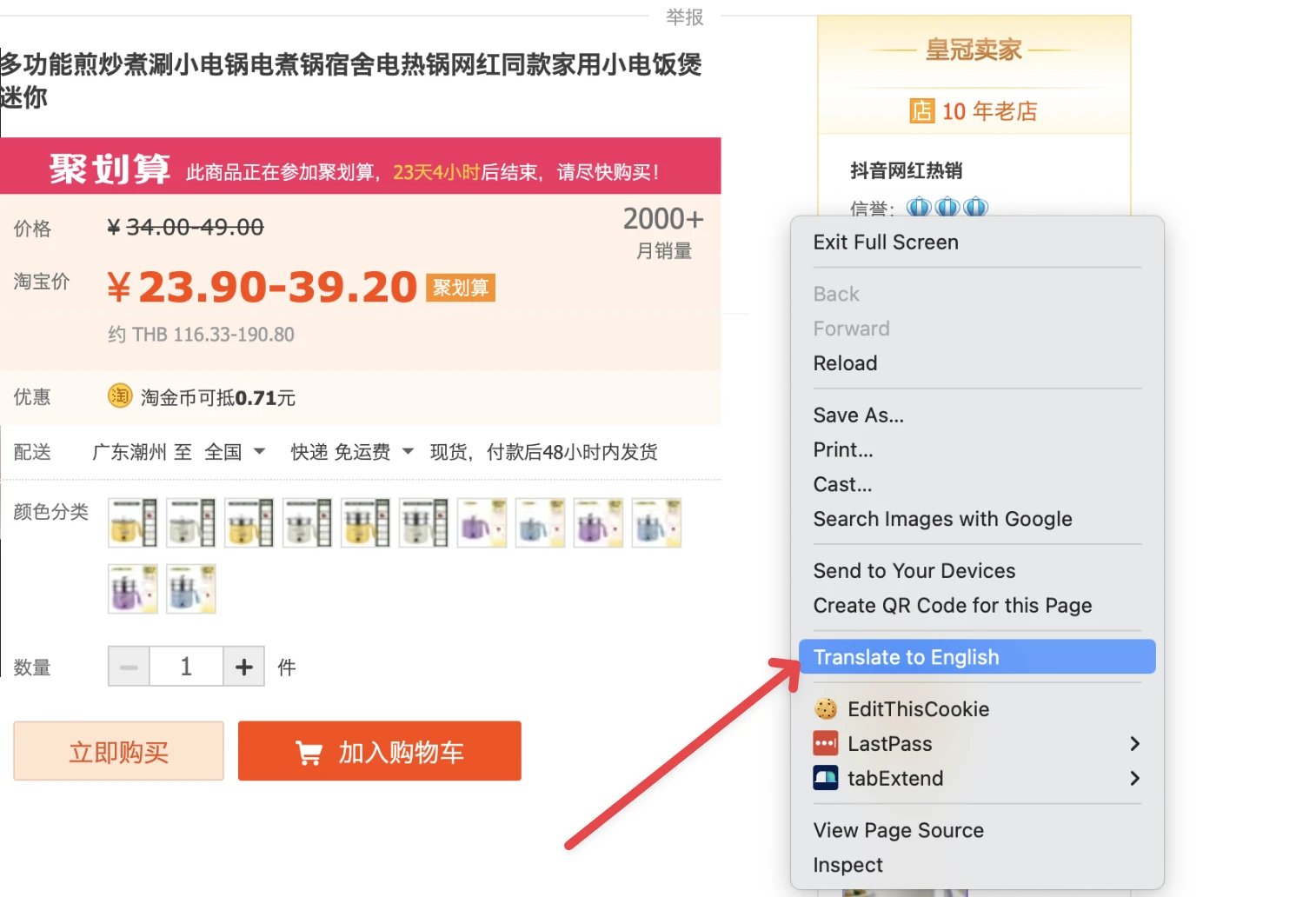
Click the Editorify icon and continue with the import as usual. The reviews are imported in their translated form.
Option 2: AI translation in the extension (Gold and above)
On the Gold and Diamond plans, the Editorify extension can translate the reviews you are importing with AI. Use it when Chrome's page translation misses the review text, or when you want the reviews translated as part of the import. See How to change plan? to upgrade.
Option 3: import only reviews already in English
If the supplier's site has a language setting, switch its main language to English before you open the reviews. The video below shows this on AliExpress.
Aliexpress reviews - How to import English reviews to Shopify
Check before publishing
Reviews cannot be edited after import, so read the translation before you click import. If a review reads badly, leave it out. You can also hide reviews that mention the supplier with the keyword blacklist.
Marketplace guides
Import reviews from 1688 · Import reviews from Taobao · All supported marketplaces
FAQ
Which plan includes AI translation?
Gold ($14.95/month) and Diamond ($24.95/month). Chrome's own translation works on any plan.
Can I fix a translation after importing?
No. Imported reviews cannot be edited, only hidden or deleted. See How to delete or edit existing reviews?
Still stuck? Contact support or email support@editorify.com.